Can we use optional analytics (including session recording) and marketing cookies? Nothing is set unless you accept.Optional cookies for analytics and marketing, only if you accept.Details
Introducing BrightHat: cyber security for kids, learned by fixing games
Our new online course for children aged 9 to 16. Each level is a short game with one thing built wrong: your child finds it, fixes it and explains it. Planned to open at the end of November 2026.
By the WE-DEV teamUpdated 7 min read
BrightHat is a new online cyber security course for children aged 9 to 16, made by WE-DEV. It teaches online safety and a bit of computing in a simple way: your child plays short games we made, and in each one something is built wrong. They find the mistake, fix it, and explain it in three short lines. We plan to open it at the end of November 2026.
This is for parents and teachers, and you do not need to know anything about computers to follow it. If you only want to know when it opens, the waiting list is on the BrightHat page.
What BrightHat is
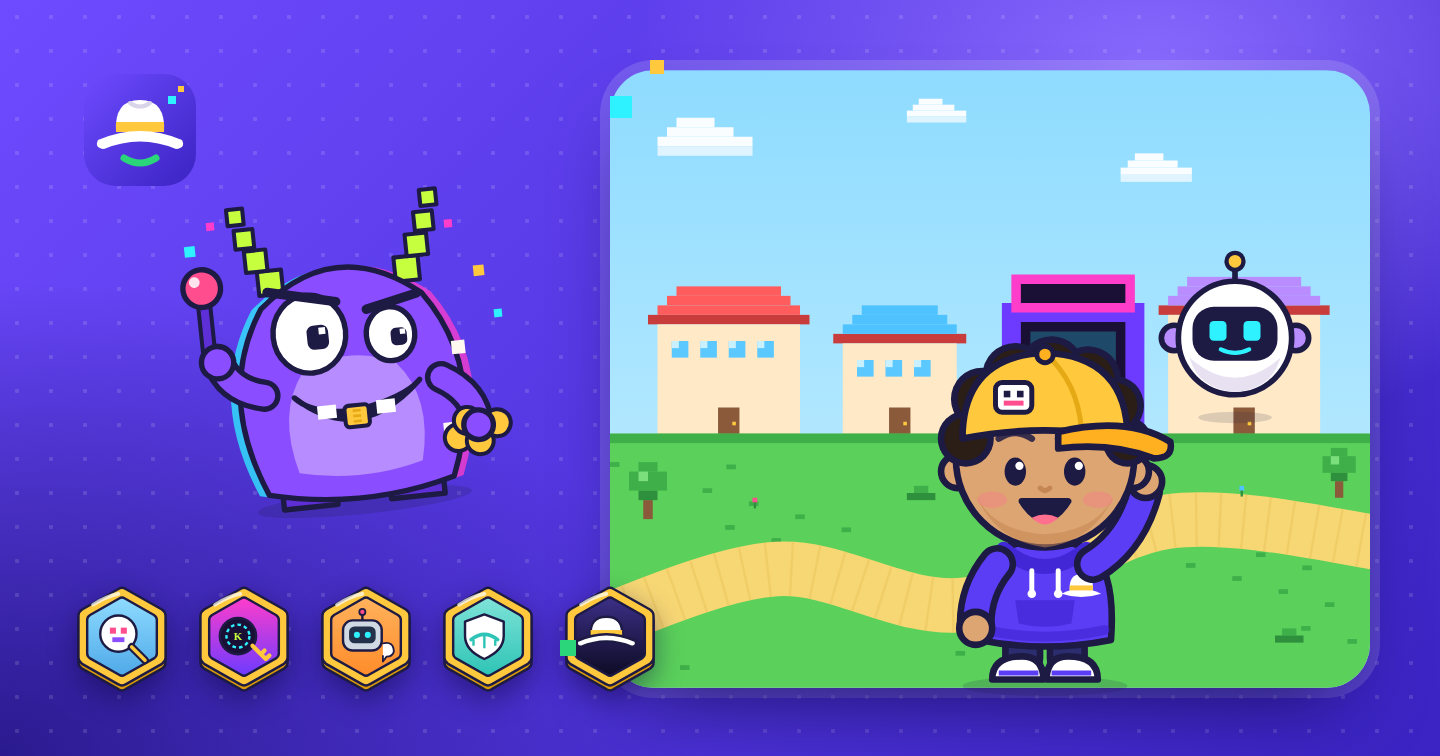
BrightHat runs in a web browser, school Chromebooks included, so there is nothing to install. The course is made of five worlds of short game levels, about five minutes each. A friendly robot called Bit goes along with your child. Bit never gives the answer. It asks one good question at the right moment, so your child works the problem out for themselves.
There are two levels of difficulty. Children aged 9 to 12 fix the games by dragging blocks into place. Children aged 13 to 16 change a few lines of simple code and learn the proper words for what they are doing.
Why we are making it
WE-DEV builds websites, apps and software. A lot of that job is making sure an app checks what it should check: an online shop we build works out the price itself and never takes the customer’s word for it. You can see some of that work on our clients page.
Most online safety advice for children is a list of things not to do. That matters, but it rarely explains why. We wanted children to see, for themselves, how an app protects the people who use it, and what happens when it does not. Once a child has fixed a shop that gave away a sword for free, the idea behind it tends to stick.
What your child actually does: the sword shop
Every level follows the same four steps: play, discover, fix, report. Here is the first idea of the course, in the small sword shop you can try on the BrightHat page.
Play. Your child is in a game shop. A sword costs 50 coins. They tap Buy. Without them seeing it, their phone or laptop tells the shop the price.
Discover. Glitchgob, the cartoon villain of Pixel Town, has changed what his own phone sends, so it now says the sword costs 0 coins. The shop believes him and he walks off with it. Bit asks: “Who decides the price here?”
Fix. Your child changes the shop so it uses its own price list and ignores the price the phone sends. Younger children drag one block into place: “use the shop’s own price”. Older children change a few lines of simple code.
Report. Glitchgob tries again and the shop charges him 50 coins. Then your child writes three short lines: what was wrong, why it matters, and how it was fixed. It is a short version of how security reports are written.
The idea your child takes away is simple, and true of real apps: anyone can change what their own device sends, so a safe app checks prices, scores and passwords for itself.
Five worlds, one idea in each
Each world has 8 to 10 short levels and ends with a final challenge against that world’s villain. Finishing a world earns a badge. Finishing all five earns the White Hat, the name for a hacker who helps.
World
What your child learns
Badge
Pixel Town
A game must check prices and scores itself, because a player’s phone can be changed.
Glitch Finder
Neon City
How secret codes keep messages private, and how to choose a strong password.
Code Breaker
Robo Factory
How a good helper robot, like the AI assistants children already use, keeps secrets, follows its rules and says “I don’t know”.
AI Whisperer
Cloud Kingdom
How information travels on the internet, and who is allowed to open what.
Network Knight
The Vault
Several problems at once: deciding what to fix first and writing one clear report.
White Hat
Cartoons and half-term specials
Before the first world there are six short cartoons called “Who are hackers?”. In films, a hacker is someone in a hoodie in a dark room. The cartoons show the other side: curious people who find problems so they can be fixed. Each one lasts 60 to 90 seconds and has subtitles.
In the school holidays there are half-term specials: five days, one short mission a day, and a badge that can only be earned that week. The summer special runs for ten days. Your time limits still apply.
What parents control
You create the account. A parent or a teacher sets it up, never the child alone. Your child uses a nickname: no surname, email or photo.
No chat with other players. Children cannot send each other messages, and there are no public profiles.
No ads and no tracking. There is no advertising, and nothing follows your child around the internet.
You choose the time. You set a daily limit, from 15 to 90 minutes or none, and the hours when BrightHat is switched off. When time is nearly up, Bit helps your child finish the level they are on, and then it stops.
Nothing to buy on your child’s screen. No paid extras, no surprise boxes, no countdowns. Anything to pay for is shown only to you.
For teachers, BrightHat will be a term of computing lessons, ready to use from the start. You create a class, and children sign in with one class code, on shared Chromebooks too. You see which ideas each child has covered, with a printable summary for school reports, and children are never ranked against each other. The plan fits one lesson a week, about 55 minutes, for a term. Any half-term special can also be run as a single 45-minute lesson.
It sits well with the national curriculum for computing in England. At key stage 2 (ages 7 to 11) it asks pupils to “use logical reasoning to explain how some simple algorithms work and to detect and correct errors in algorithms and programs”, which is the fix step in every BrightHat level. At key stage 3 (ages 11 to 14) pupils should “understand a range of ways to use technology safely, respectfully, responsibly and securely”. BrightHat is our own course and is not endorsed by the Department for Education; we simply wrote it with those aims in mind.
Teachers can join the waiting list as a teacher or a school, and we will say when classes can start. See the schools section for the week-by-week plan.
What BrightHat is not
It is not a course in breaking into things. Children practise only inside small games we made. They never get instructions that would work on a real app or website. Every world ends with the same rule: only where you have permission. If a child notices a problem in a real app, they learn to tell an adult they trust, not to try it.
That rule is also the law. In the UK, the Computer Misuse Act 1990 makes it an offence to knowingly get at programs or data on a computer without permission.
It is not an official qualification. Each world ends with a certificate from WE-DEV, and finishing all five earns the White Hat certificate. Each certificate has a check code, so a teacher or a club can confirm it is real. It is a record of what your child learned and fixed, not an exam result.
When it opens and how to join
BrightHat is planned to open at the end of November 2026. Prices are not set yet. They will be in the one email we send to the waiting list when BrightHat opens.
To join, leave your email on the BrightHat waiting list. You get a short welcome email now and one email when BrightHat opens. That is all: no newsletter, and we never share your address. Every email has a one-click unsubscribe link. We never ask for your child’s details on the waiting list.
Children aged 9 to 16, in two groups: 9 to 12 fix the games with blocks, 13 to 16 with a few lines of simple code. Both play the same five worlds.
Does my child need to know about computers first?
No. The first levels start from nothing, and Bit, the helper robot, asks one simple question at a time. You do not need to know anything about computers either.
What does my child need to play?
A web browser. BrightHat runs in the browser, school Chromebooks included, so there is nothing to install. Apps for phones and tablets will come later.
Will BrightHat teach my child to hack real websites?
No. Children practise only inside small games we made and never get instructions that would work on a real app or website. The rule in every world is “only where you have permission”.
Can my child talk to strangers on BrightHat?
No. There is no chat between players and no public profiles. A parent or teacher creates the account, and your child is known only by a nickname.
When does BrightHat open and how much will it cost?
It is planned to open at the end of November 2026. Prices are not set yet: join the waiting list and we will email you once when it opens, with the prices.
WE-DEVUK software and web development agency. We build websites, custom software, mobile apps and online shops, and write these guides from the projects we run every week.
 Security