BrightHatby WE-DEV Coming soon
Cyber security for kids, learned by fixing games.
BrightHat is an online course for children aged 9 to 16. They play short games we made, and in each one something is built wrong: a shop that lets the player choose the price, for example. Your child finds the problem, fixes it and explains it in three short lines. That is how the people who keep apps and websites safe work every day.
Join the waiting list I’m a teacher
Planned opening: end of November 2026. You get a short welcome now and one email when it opens.

- Ages 9–16 two levels of difficulty
- No chat no ads, no tracking
- Parents create the account and choose the time
- Nothing to install runs in the browser, on school Chromebooks too
How it works
Find it. Fix it. Report it.
Every level is a short game with one thing built wrong. Four steps, about five minutes in all. Try a small one here.
-
Play
Your child plays a little game for a minute and sees how it should work.
-
Discover
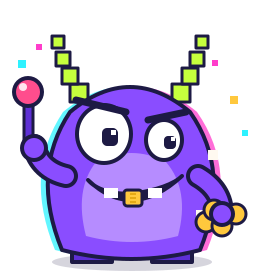
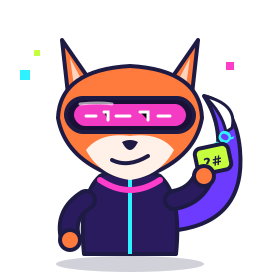
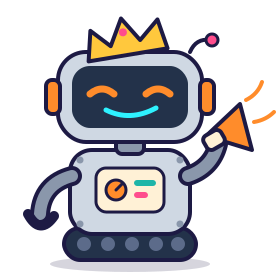
Bit, a friendly robot, asks one simple question that helps your child spot what is wrong.
-
Fix
Your child puts it right: dragging blocks at 9–12, changing a few lines of simple code at 13–16.
-
Report
Three short lines: what is wrong, why it matters, how to fix it. The way real security teams write it.
Just a taste: the real levels go further
You tap Buy on the 50-coin sword, and your phone tells the shop the price. Which price should the shop trust?
Oh no! Glitchgob made his phone say 0 coins.
The shop believed it, so he got the sword for free.
Yes! The shop ignores the phone and charges 50 coins.
Glitchgob’s trick fails. Bit cheers!
Why? Anyone can change what their own phone sends. So safe apps check prices, scores and passwords for themselves.
In BrightHat you keep going
-
You just did this
You found the weak spot
Just now, right here. Nice!
-
In the real game
Fix the shop yourself
Drag blocks to add the check. Ages 13–16 type a little code.
-
In the real game
Watch Glitchgob try again
This time your shop says no.
-
 In the real game
Write a 3-line report
What went wrong, why it matters, how you fixed it.
In the real game
Write a 3-line report
What went wrong, why it matters, how you fixed it.
-
 In the real game
Earn the Glitch Finder badge
The first badge in Pixel Town.
In the real game
Earn the Glitch Finder badge
The first badge in Pixel Town.
The course
Five worlds, from easy to hard.
Each world teaches one idea about keeping people safe online, in 8 to 10 short levels and a final challenge against a cartoon villain. Every world finished earns a badge. Finish all five to become a White Hat: the name for a hacker who helps.
-
World 1
Pixel Town
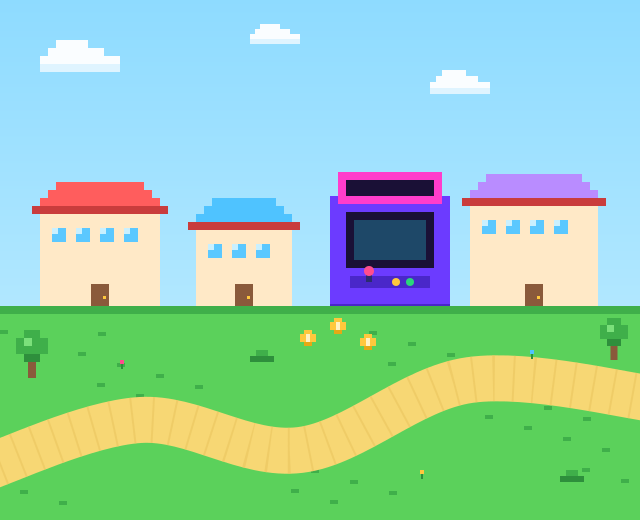
A sunny arcade town. The game must check prices and scores itself, because a player’s phone can be changed.
Badge Glitch Finder -
World 2
Neon City
Secret codes and hidden notes. How codes keep messages private, and how to choose a strong password.
 Badge Code Breaker
 -
World 3
Robo Factory
Helper robots, like the AI assistants children already use. A good one keeps secrets, follows its rules and says “I don’t know”.
 Badge AI Whisperer
 -
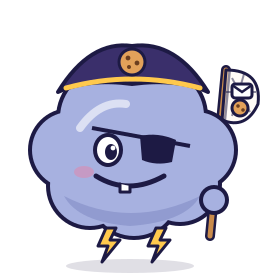
World 4
Cloud Kingdom
Castles in the sky and parcels on the move. How information travels on the internet, and who may open what.
 Badge Network Knight
 -
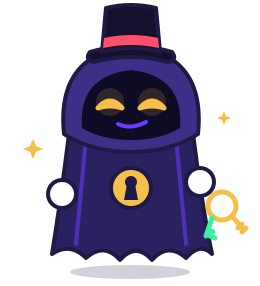
World 5
The Vault
The last world. Several problems at once: your child decides what to fix first and writes a clear report.
 Badge White Hat
Holidays too: half‑term specials
In each school half-term: five days, one short mission a day, and a badge that can only be earned that week. Your time limits still apply.
- OctoberSpooky SystemsA haunted arcade where lights, doors and the scoreboard act strangely.
- FebruaryWinter CodesA snowed-in post office where letters need sealing and sorting.
- MaySpring RobotsA robot fair where helper robots must follow the rules of the fair.
- SummerSummer Arcade CupTen days at a seaside games tournament, a new mini-game each day.
Six short cartoons
Who are hackers?
In films, a hacker is someone in a hoodie in a dark room. Our cartoons show the other side: curious people who find problems so they can be fixed, sometimes paid by the companies themselves. Each cartoon lasts 60 to 90 seconds, with subtitles.
- 1 What is a hacker, really?
- 2 White, grey and black hats
- 3 The codebreakers
- 4 The first computer “bug”
- 5 Paid to find bugs
- 6 A day in security
For parents
Made to be safe for children.
- You create the account. A parent or teacher sets it up, never the child alone. Your child uses a nickname: no surname, email or photo.
- No chat, no ads, no tracking. Children cannot send messages to each other. There is no advertising, and nothing follows your child around the internet.
- You choose the time. Set a daily limit and the hours when it is switched off. When time is nearly up, Bit helps your child finish the level, then it stops.
- Nothing to buy on your child’s screen. No paid extras, no surprise boxes, no countdowns. Anything to pay for is shown only to you.
- Is this teaching my child to hack? No. It teaches how apps protect people and how to repair mistakes. Children practise only on games we made, and never get instructions that would work on a real app or website.
- Only where you have permission. If your child spots a problem in a real app, they learn to tell an adult they trust, not to try it.
Parent controls preview
Sam Ages 9–12 · nickname only
At 28 minutes Bit says: “Two minutes left, let’s finish this level.”
For schools
A term of computing lessons, ready to use.
- One code for the whole class. You create the class and children sign in with its code, on shared Chromebooks too.
- Nothing to install. It runs in the web browser. Phone and tablet apps come later.
- See what each child learned. The ideas each child has covered, with a printable summary for school reports. Children are never ranked against each other.
- One-off lessons too. Any half-term special can be run as a single 45-minute lesson.
A term, one lesson a week
-
Week 1 The cartoons Watch “Who are hackers?” together, then talk about why you only ever test with permission.
-
Weeks 2–3 Pixel Town A game must check prices and scores itself. Pupils fix nine short levels, then explain the idea to a partner.
-
Weeks 4–5 Neon City Secret codes and strong passwords, ending with the Code Breaker challenge.
-
Weeks 6–7 Robo Factory How a good AI helper keeps secrets, follows its rules and says “I don’t know”.
-
Weeks 8–9 Cloud Kingdom How information travels on the internet, and who is allowed to open what.
-
Weeks 10–12 The Vault Several problems at once, a clear final report, and certificates for the class.
About 55 minutes a lesson. Only have a half-term? Weeks 1 to 5 cover the cartoons, Pixel Town and Neon City, and the next half-term carries on.
Tell me when it opensCertificates
A certificate for every world.
Each world ends with a WE-DEV certificate, and finishing all five earns the White Hat certificate. Each one has a code, so a teacher or a club can check it is real.
- Nickname by default. You choose whether to show your child’s first name instead.
- Private until you share it. Print it, or save it as a digital badge to share later.
- What it is, and what it is not. A record from WE-DEV of what your child learned and fixed. It is not an exam qualification.
Questions parents and teachers ask
What is BrightHat?
An online course in cyber security and computing for children aged 9 to 16, made by WE-DEV, the London web and software company. Children play short games we made, and in each one something is built wrong. With help from Bit, a friendly robot, they find the problem, fix it and explain it in a short report.
What will my child learn?
How apps and games should check things for themselves, how secret codes and strong passwords work, how AI helpers should behave, how information travels on the internet and who can see it, and how to explain a problem clearly. They also learn some computing: blocks for younger children, a little simple code for older ones.
What ages is BrightHat for?
Ages 9 to 16, in two bands: 9–12 and 13–16. Both play the same five worlds. Younger children fix mistakes with drag-and-drop blocks; older children change a few lines of simple code and learn the proper terms.
Is this teaching my child to hack?
No. An “ethical hacker” looks for problems so they can be fixed, and only with permission. BrightHat teaches how good apps protect people and how to repair mistakes. Children practise only inside our own small games, never on real apps or websites, and they never get step-by-step methods that would work against a real system. Every world ends with the same rule: only where you have permission. If a child notices a problem in a real app, they learn to tell an adult they trust instead of trying it.
Can my child chat with other players?
No. There is no chat, no friend search and no public profiles. There are no ads, and nothing follows your child around the internet. Accounts are created by a parent or a teacher, and a child is known only by a nickname.
Can I limit how long my child plays?
Yes. You set a daily time limit from 15 to 90 minutes, or none, and you can choose hours when it is switched off. When time is nearly up, Bit helps your child finish the level they are on; a new one cannot be started.
What does my child need to play?
A web browser. BrightHat runs in the web browser, school Chromebooks included, so there is nothing to install. Apps for phones and tablets will come later.
Can schools use BrightHat with a class?
Yes. A teacher creates a class, and children sign in with a class code on shared Chromebooks. The course fits one computing lesson a week for a term, and the teacher sees which ideas each child has covered. Join the waiting list as a teacher or a school and we will tell you when classes can start.
What are the half-term specials?
Short extra courses for the October, February and May half-terms, plus a longer one in the summer: one short mission a day for five days, with a badge that is only available that week. They follow the same rules as the course, including your time limits.
Is the certificate an official qualification?
No. It is a WE-DEV certificate: a record of the worlds your child completed and what they learned. Each certificate carries a code, so anyone can check that it is real. It is not an exam or an accredited qualification.
How much will BrightHat cost, and when does it open?
BrightHat is planned to open at the end of November 2026. Prices are not set yet: join the waiting list and we will email you when it opens, with the prices.
What do you do with my email address?
We send a short welcome when you join and one email when BrightHat opens. That is all: no newsletter, and we never share your address. Every email has an unsubscribe link: one click and you’re off the list.
Find out when it opens.
BrightHat is planned to open at the end of November 2026. Leave your email: we send a short welcome now, then one email when it opens, with the prices. Nothing else.
BrightHat is made by WE-DEV
WE-DEV builds websites, apps and software in London. We made BrightHat so children can learn how apps and websites keep people safe, from people who build them every day.
WE-DEV LTD · Company no. 15878974 · ICO ZC271018 · Unit 6, Block 3, Woolwich Church Street, London SE18 5PQ