 Development
WordPress speed: the 12 fixes that take a site from 40 to 95 on Lighthouse
A slow WordPress site is almost always fixable. These are the 12 fixes we apply, in order, to take a typical business site from…
· 8 min read
Development
Headless WordPress splits the editing back end from the site visitors see. Here is what it changes for editors, what it really costs over three years, and when it is worth it.

Headless WordPress means you keep WordPress as the place where your team writes and edits content, but the website your visitors see is a separate application, usually built in React, Vue or a framework such as Next.js, which pulls that content through an API. Classic WordPress does both jobs in one system: the same install stores the content and renders the pages. For most UK small and mid-sized businesses, a well-built classic WordPress site is faster to deliver, cheaper to run and easier to edit. Headless earns its extra cost when the same content has to feed several front ends (a website, a mobile app, in-store screens) or when you need an interface that a theme genuinely cannot deliver.
We build both, so this is not a pitch for one camp. Below is what changes for the people who edit the site, what it costs over three years with real numbers, the plugins that stop working, and a checklist to decide which one fits your business.
A classic WordPress site is one piece of software on one server. When someone visits your services page, WordPress looks up the content in its database, runs it through your theme’s templates and sends back a finished HTML page. Plugins hook into that process, which is why installing a forms plugin or an SEO plugin just works: they live inside the same system that produces the page.
A headless site splits that in two. WordPress becomes a content store with an admin screen. It no longer produces the pages people see. A second application, hosted somewhere else, asks WordPress for content through the REST API or GraphQL (usually via the WPGraphQL plugin) and builds the pages itself. That front end might be pre-built into static files at deploy time, rendered on a server on each request, or a mix of both.
The word “headless” just means the “head” (the theme that renders pages) has been removed. Your editors still log in to the familiar dashboard. Everything that happens after they press Update is different.
This is the part most proposals skip, and it is where headless projects tend to disappoint. On a classic site, what an editor sees in the block editor is close to what goes live, and the Preview button shows the real page. On a headless site, none of that is automatic.
None of this is a reason to avoid headless. It is a reason to budget for it and to ask your developer exactly how preview, blocks and publishing will work before you sign anything.
Most of the WordPress plugin directory assumes a theme is rendering the page. In a headless build, plugins that only change what appears on the front end do nothing. Plugins that work purely in the admin or on data keep working.
| Plugin type | Classic WordPress | Headless WordPress |
|---|---|---|
| SEO (Yoast, Rank Math) | Works out of the box: titles, meta, schema, sitemaps | Data is available via API add-ons; the front end must output tags, schema and sitemaps itself |
| Forms (Gravity Forms, WPForms) | Drop a block on the page | Front-end form must be built; submissions sent to the API or a separate service |
| Caching and image optimisation | Plugin plus Cloudflare handles most of it | Mostly irrelevant; the front-end framework and host handle it |
| Cookie consent | Plugin injects the banner | Banner and consent logic built into the front end |
| WooCommerce | Full shop, checkout and account pages | Cart, checkout and account rebuilt against the Store API; payment gateways need care |
| Membership, LMS, booking | Plugin provides the pages | Often the hardest part to rebuild; sometimes a reason not to go headless |
| Admin tools (ACF, user roles, backups) | Work | Work |
If your site relies on a booking plugin, a membership plugin or a complex WooCommerce setup with subscription extensions, count the cost of rebuilding each front-end feature before going further. That list is often what settles the decision.
It can be, but the honest answer is that speed comes from engineering discipline, not architecture. A pre-rendered headless site served from a CDN is very fast. So is a classic WordPress theme with no page builder, sensible images, full-page caching and Cloudflare in front. We target Lighthouse 95+ on every classic template we hand over, and we hit it without going headless.
Where headless wins on speed is at scale and under load: thousands of pages served as static files, traffic spikes that never touch the WordPress database, and app-like interactions after the first page load. Where it can lose is JavaScript weight. A React front end that ships a large bundle can score worse on Interaction to Next Paint than a lean PHP theme. If speed is your main reason for considering headless, read our guide to speeding up WordPress first. Most slow sites are slow because of a page builder, cheap hosting and too many plugins, and those are cheaper problems to fix.
Headless gives you a smaller public attack surface: the WordPress admin can sit on a private subdomain, locked down by IP or behind Cloudflare Access, while the public site is static files or a separate Node server. That is a real benefit for organisations that are regular targets.
The trade-off is that you now run two systems. WordPress still needs updates, backups and monitoring. The front end needs its own hosting (Vercel, Netlify, Cloudflare Pages or a Node server), its own dependency updates and its own deployment pipeline. Two systems means two places for something to go wrong, and two lots of maintenance.
Here is a realistic comparison for a 15 to 20 page business site with a blog, a contact form, a case studies section and a newsletter sign-up. Figures are excluding VAT unless stated.
For a site of this size our fixed-price packages cover most of it: the Elite Website package at £999 covers up to 15 unique responsive pages with forms and newsletter, and the Business package at £2,650 adds a fully custom WordPress or PHP build with multi-language, search and ordering. If you need a custom hand-built theme with bespoke post types instead, a typical build is around 40 hours of WordPress development at £50 per hour. With our 20-hour volume discount of 15 %, that is £2,000 less £300, so £1,700 plus £340 VAT, or £2,040 in total.
Hosting for a well-configured single WordPress install from a decent UK or EU host typically runs from about £10 to £40 a month, with Cloudflare’s free plan in front.
You still need the WordPress back end set up properly (custom fields, API exposure, preview, admin lock-down), roughly 15 to 20 hours. Then the front end: page templates, block components, SEO output, sitemap, forms, preview and the build pipeline. For the same site, 60 to 80 hours of custom development is a realistic range. Taking 60 hours at £60 per hour gives £3,600; the 50-hour discount of 20 % brings that to £2,880, plus £576 VAT, so £3,456. Add the WordPress side and you are usually at two to three times the classic budget.
Running costs also go up: WordPress hosting plus front-end hosting (free tiers exist, but commercial sites often end up on paid plans of roughly £15 to £40 a month per seat or project), plus more developer time for updates on two codebases.
| Item | Classic WordPress | Headless WordPress |
|---|---|---|
| Typical build, 15 to 20 page site | £999 to £2,650 (package or custom theme) | £4,500 to £8,000 |
| Time to launch | 2 to 6 weeks | 6 to 12 weeks |
| Hosting per month | £10 to £40 | £25 to £80 across two hosts |
| Editor preview | Built in | Custom build |
| Plugins for front-end features | Most work | Rebuild or replace |
| Developer pool | Very large across the UK | Smaller; needs WordPress and React skills |
| Best for | Most business sites and shops | Multi-channel content, app-like interfaces, high traffic |
Over three years, a classic site that costs £2,040 to build and £300 a year to host comes to around £2,940 before maintenance. A headless equivalent at £6,000 plus £600 a year in hosting is closer to £7,800. That gap is fine if headless delivers something you need. It is wasted money if it does not.
We recommend headless when at least one of these is true:
You do not have to choose all or nothing. Some of the most sensible builds we see use a classic WordPress site for the public website and expose content through the REST API only where another channel needs it. The website keeps preview, plugins and the familiar editing experience; a mobile app or a partner portal reads products, locations or news over the API. Our API development and integration work is often exactly this.
Another option is a classic site with one interactive section built in React or Vue and mounted inside a WordPress template: a quote calculator, a store finder or a member dashboard. You get the app-like part where it matters and keep everything else simple.
For mobile-first experiences without a separate app, a progressive web app on top of WordPress can also cover offline access and home-screen installation for far less than a native build.
If an agency has proposed headless, these questions will tell you quickly whether they have thought it through:
Vague answers to the first three are a warning sign. Those are the areas where headless projects run over budget.
If you are a typical UK business, whether a law firm in Leeds, a manufacturer in the Midlands or a clinic in Cardiff, start with classic WordPress, hand-built without a page builder. It will be fast, accessible, easy to edit and maintainable by a very large pool of developers. We explain our approach in why we build on WordPress without page builders, and if you are still weighing up platforms, our guide to choosing a CMS compares WordPress with Shopify and Webflow.
Go headless when you have a clear multi-channel or application-style reason and the budget to run two systems properly. If you are unsure, talk to us. Our team is based in St Albans, we meet clients in London and the Home Counties, and we work remotely with businesses across the UK. You can book development time by the hour through Hire us or ask for a fixed quote for a CMS build.
WordPress is used only to store and edit content. A separate front-end application, usually built with React, Vue or Next.js, fetches that content through an API and builds the pages your visitors see.
Not automatically. Search engines care about fast, crawlable pages with good content and correct technical SEO. A headless site can do that well, but titles, schema, sitemaps and redirects must be built into the front end rather than handled by an SEO plugin. A lean classic WordPress site performs just as well in search for most businesses.
For a typical 15 to 20 page business site, expect a headless build to cost two to three times a classic custom WordPress build, plus higher monthly hosting because you run two systems. In our pricing, a classic custom theme is often around £2,000 including VAT, while headless is more likely £4,500 to £8,000 plus VAT.
Yes. Editors log in to the same dashboard and use the block editor. What changes is preview, how blocks are displayed on the live site and how quickly updates appear, all of which have to be built into the front end.
It can, using the WooCommerce Store API, but you rebuild the cart, checkout and account pages yourself and must take care with payment gateways and extensions. For most UK shops under a few million pounds of turnover, a classic WooCommerce theme is the better value.
Yes. Your content stays in WordPress, so a well-structured classic site can be turned headless later by building a new front end. Using custom fields and clean content structures from the start makes that move much easier.
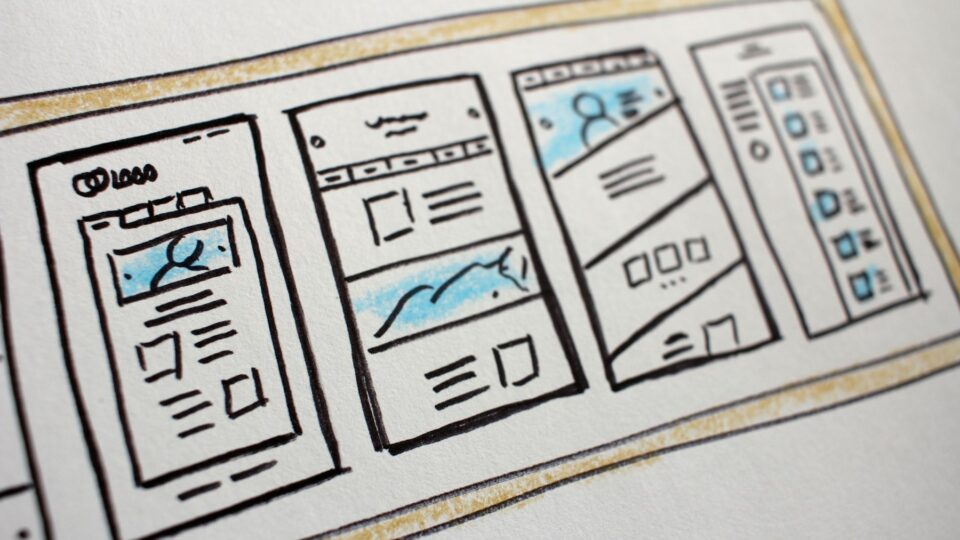
Photo: Jakub Żerdzicki via Unsplash
Development
A slow WordPress site is almost always fixable. These are the 12 fixes we apply, in order, to take a typical business site from…
· 8 min read
 Development
The frameworks we build UK business websites and apps with in 2026, when each one is the right call, and how the choice changes…
· 8 min read
 Development
Typical UK app costs, three fully worked budgets at real hourly rates, the running costs most quotes leave out, and when a web app…
· 8 min read
A developer replies within one working day. Fixed price or hourly, your choice — and the code is yours.