 Development
Web development frameworks in 2026: what we actually use for UK business sites
The frameworks we build UK business websites and apps with in 2026, when each one is the right call, and how the choice changes…
· 8 min read
Development
When an AI assistant on a small-business website earns its keep and when a better FAQ page would do: build options, realistic running costs, UK data protection, guardrails and how to measure the return.

For most UK small businesses the honest answer is “not yet, and possibly not at all”. An AI chatbot for business website enquiries pays for itself when you get a steady stream of repetitive questions, your answers are already written down somewhere accurate, and a wrong answer would be an annoyance and not a liability. Our rule of thumb: if you take fewer than about fifty enquiries a month, or your answers depend on judgement, a clearer contact page and a better FAQ will do more for less.
We build integrations like these, so this is not a warning against the technology. It is a description of where it fits, what it costs to run, and what has to be in place before a language model talks to your customers under your name.
The chat widgets of a few years ago followed scripts. You clicked “Opening hours” or “Track my order” and moved down a decision tree someone had drawn. They never said anything unexpected, and they were useless for anything off the tree.
The current generation puts a large language model behind the chat box. In a sensible set-up the model does not answer from its general training. Your pages, policies, price lists and help articles are indexed, the passages most relevant to each question are retrieved, and the model is instructed to answer from those passages only. Developers call this retrieval-augmented generation. The practical point for an owner is that the assistant can only be as good as the content you give it. If your delivery policy is vague on the website, it will be vague in the chat, or worse, the model will fill the gap with something plausible.
| Does well | Does badly |
|---|---|
| Answering questions already covered on your site, in the customer’s own wording, at 11 pm on a Sunday | Anything not written down: one-off prices, exceptions, “can you do Thursday instead?” |
| Pointing people to the right page, form or product | Arithmetic and quotes built from several variables, unless connected to a proper calculator |
| Collecting the details you need before a human replies (postcode, job type, order number) | Complaints, distress and anyone who is already cross |
| Looking up order or booking status when connected to your systems | Advice with consequences: legal, medical, financial, safety |
| Replying in other languages from English source content | Admitting ignorance, unless it has been built and tested to do so |
| Handling fifty conversations at once without a queue | Knowing that your stock, hours or prices changed this morning, unless the source it reads was updated |
The right-hand column matters more than the left. A chatbot that answers eighty questions well and invents the answer to the eighty-first is worse than no chatbot, because the customer cannot tell which answer was invented.
| Option | What it is | Set-up effort (our estimate) | Running cost (broad ranges, at the time of writing) | Fits |
|---|---|---|---|---|
| Live chat with people only | A chat box answered by your staff, with an offline form out of hours | An hour or two | Free tiers to a few tens of pounds a month per seat | Small teams where someone is at a screen all day |
| Off-the-shelf AI widget | A hosted tool that reads your site or uploaded documents and answers from them | A day or two including testing | Roughly £20 to £150 a month on small-business plans; some charge per resolved conversation instead | Brochure sites and shops with good written content and simple questions |
| AI add-on inside a helpdesk you already use | The AI agent sold by your existing support platform, sharing its inbox and history | Days | A per-conversation or per-resolution fee on top of seat licences, often between about 35p and £1.50 each | Businesses already running support through a helpdesk |
| Custom assistant | Built for you, connected to your own content, CRM, booking or order system, with your rules | Two to eight weeks | Build cost, then model usage of pence per conversation plus hosting and upkeep | Higher volumes, account-specific questions, regulated sectors, or anything the widget cannot reach |
Our advice for a first attempt is the second row. Use an off-the-shelf widget for two or three months, read every transcript, and find out what people really ask. Half the value of the exercise is that list of questions. If the widget copes, keep it. If the questions keep needing data it cannot see (“where is my order?”, “is my boiler model covered?”), that is the evidence for a custom build.
A custom assistant is less exotic than it sounds. It is a small web application with four parts: an index of your approved content, a connection to a model provider’s API, a set of tools the model is allowed to call (look up an order, check a diary slot, create a lead in the CRM), and a chat interface on the site. The work is in the plumbing and the testing, not the AI. It usually sits on top of an existing integration, which is why it pairs naturally with API development and integration and with a CRM you control. Our comparison of custom and off-the-shelf CRMs covers that side.
Vendor pricing in this market changes every few months, so treat every figure here as a range to check, not a quote.
Take an illustrative Leeds lettings agency that wants an assistant able to answer questions from its landlord and tenant guides and check the status of a maintenance request in its existing system. We charge custom web development at £60 an hour through hourly hire.
| Task | Hours |
|---|---|
| Content audit and clean-up of the source documents | 5 |
| Content index and retrieval | 8 |
| Maintenance-status lookup through the existing system’s API | 8 |
| Chat interface: accessible, loaded on demand, consent-aware | 6 |
| Guardrails, human handover and logging | 6 |
| Test set of real questions, fixes and launch | 7 |
| Total | 40 |
40 hours × £60 = £2,400. A booking of this size earns our 15 % volume discount (the tier that starts at 20 hours), so £2,400 − £360 = £2,040. Add VAT at 20 % (£408) and the build comes to £2,448. Running costs afterwards would be model usage, a small amount of hosting and an hour or two of maintenance a month. A simpler assistant with no system lookup is nearer 20 hours; one that takes payments or changes bookings is considerably more, because every action it can take has to be tested for misuse.
A chat box is a free-text field. People type names, addresses, order numbers, health details and complaints about named members of staff into it, and with an AI assistant that text is sent to at least one other company. What follows is our working checklist, not legal advice. For anything sensitive, speak to whoever advises you on data protection.
If you sell to customers in the EU, the EU AI Act has since 2 August 2026 required chatbots to be built so that people are told they are interacting with an AI system, unless that is obvious. The duty falls on the provider of the system, so check that your vendor or developer meets it if EU sales are material.
Language models produce fluent text whether or not it is true. Two widely reported cases show the range. In February 2024 British Columbia’s Civil Resolution Tribunal, a Canadian small-claims body, held Air Canada liable for negligent misrepresentation after its website chatbot wrongly told a customer he could claim a bereavement fare refund after travelling. It rejected the airline’s argument that the chatbot was a separate legal entity responsible for its own actions. The same year a UK parcel company switched off part of its chatbot after a customer coaxed it into swearing and criticising the firm. Neither is a UK court ruling, but we would assume that a business here is answerable for what its website says, whoever or whatever wrote the words.
The guardrails we build in, roughly in order of importance:
This matches the rule we set out in our comparison of AI website builders and web agencies: we do not publish AI output that a person has not reviewed. A live assistant cannot be reviewed line by line, so the review moves to the source content, the test set and the transcripts.
The widget itself has to be usable. It must work with a keyboard and a screen reader, must not cover the cookie banner or the checkout button on a phone, and must not trap focus. Our guide to website accessibility and UK law sets out the standard. It also should not slow the site. A chat script loaded on every page can add a good deal of JavaScript and harm your Core Web Vitals, so load it after the page is interactive or on click.
Decide what you will measure before launch and record the “before” figures for a month: enquiry volume by channel, time spent answering, and how many enquiries turn into work.
| Measure | What it tells you | A reasonable aim |
|---|---|---|
| Conversations a month | Whether anyone uses it | If it is a handful, the chatbot is decoration |
| Resolved without a person | How much work it removes | Depends on your content; judge the trend, not a vendor’s benchmark |
| Handover rate and reasons | Where the content has gaps | Falling month on month as you fill them |
| Wrong or unsupported answers in a transcript sample | The risk you are carrying | As near zero as you can get; investigate every one |
| Leads or bookings started in chat | Revenue contribution | Compare with the same months before launch |
| Cost per conversation, including staff review time | Whether the sums work | Lower than the cost of handling it by phone or email |
A quick payback sum, using made-up but plausible numbers: the assistant handles 150 questions a month that would each have taken four minutes of someone’s time. That is 10 hours. At a staff cost of £15 an hour it saves £150 a month, against perhaps £80 for the widget and, once it has settled down, two hours of review a month (£30). The margin is thin. The case gets stronger if out-of-hours conversations turn into bookings you would otherwise have lost, and weaker if the questions could have been removed by putting the answer on the page people were already reading.
That last point deserves a moment. If a third of chats ask about delivery times, the fix is delivery times on the product page.
We are based in London and build integrations and assistants for businesses across the UK through our custom software development service. If you want a second opinion on whether a chatbot would earn its place on your site, describe your enquiry volumes in the project planner and we will give you a straight answer, including “you do not need one”.
It can be if you receive a steady volume of repetitive questions and your answers are already documented accurately. As a rule of thumb, below roughly fifty enquiries a month improving the FAQ and contact pages gives a better return. Trial a low-cost hosted widget before paying for anything custom.
At the time of writing, hosted widgets for small businesses run from roughly £20 to £150 a month, and some helpdesk tools charge per resolved conversation instead. A custom assistant has a build cost, a few thousand pounds for a modest scope at our rates, plus model usage of pence per conversation and some upkeep.
Yes, provided you handle the personal data properly. You need a data processing agreement with the vendor, a lawful basis, a transfer mechanism if the data leaves the UK, a privacy notice that mentions the assistant, sensible retention, and consent for any non-essential cookies the widget sets. Carry out a data protection impact assessment, which can be short for a simple FAQ assistant.
You should. UK GDPR requires you to be transparent about how personal data is processed, and pretending a bot is a person risks misleading customers. A line in the chat window saying it is an automated assistant, with a way to reach a human, is enough. If you sell in the EU, the EU AI Act makes this explicit: chatbots must tell people they are AI.
Yes. Language models can produce confident answers that are not supported by your content. Restricting the assistant to approved sources, making it say when it does not know, linking each answer to its source page and reviewing transcripts all reduce the risk, but none removes it entirely.
It can. Many chat widgets load a large script on every page, which hurts loading and responsiveness scores. Loading the widget only after the page is interactive, or only when a visitor clicks the chat button, avoids most of the cost and also helps with cookie consent.
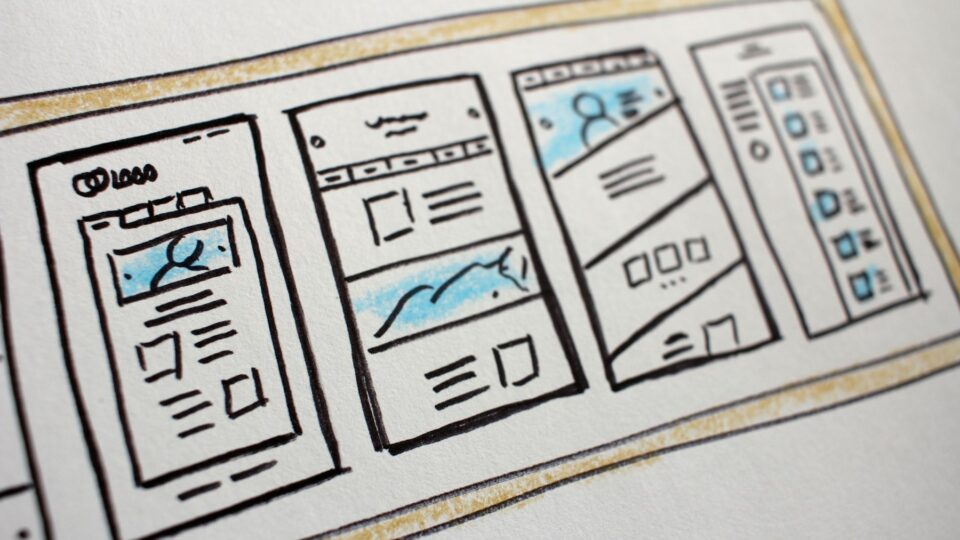
Photo: NordWood Themes via Unsplash
Development
The frameworks we build UK business websites and apps with in 2026, when each one is the right call, and how the choice changes…
· 8 min read
 Development
Typical UK app costs, three fully worked budgets at real hourly rates, the running costs most quotes leave out, and when a web app…
· 8 min read
 Development
Most UK SaaS MVPs cost £7,000–£20,000 ex VAT and take 10–16 weeks. Here's what that buys, what to leave out, and a worked example…
· 9 min read
Ready when you are
A developer replies within one working day. Fixed price or hourly, your choice — and the code is yours.